The Importance of Using an EML Converter
EML is a common email file format used by clients like Windows Live Mail, Thunderbird, Outlook Express, and several webmail export tools. Each file typically stores a single email, including headers, body, and attachments. However, many business tools, modern email clients, and document systems prefer formats like PST, MBOX, or PDF. When users switch email platforms, prepare legal archives, or centralize communication records, they quickly discover that raw EML files are difficult to manage.
All You Need to Know About Regzion EML Converter Software
Regzion EML Converter Software is a specialized email conversion tool that converts EML files into multiple popular formats, including PST, MBOX, MSG, PDF, HTML, and others. It reads EML messages created by various email clients and webmail services, then exports them into the format you need for your target application or backup process. EML Converter software preserves email content, structure, attachments, and metadata to prevent data loss during the conversion process. Regzion EML Converter software can easily convert EML to PST format and keep the original structure, layout, and formatting intact.
Unlike manual methods that make the process complex and risky, Regzion EML Converter provides a clear step-by-step solution. Users only need to add their EML files, choose an output format, set preferences, and start the process. This makes the tool suitable for non-technical users, while still meeting the requirements of advanced users and administrators who handle large projects and complex environments.
Regzion EML Converter Software solves this challenge by acting as a bridge between old and new environments. If you are moving from an EML-based client to Microsoft Outlook, you can convert EML to PST. If your goal is long-term archiving or sharing, converting EML emails to PDF or HTML provides a more accessible and user-friendly format. Instead of juggling different tools or complex manual steps, Regzion offers a single, streamlined solution for all these needs.
You can also Read about- How to Convert EMLX to PST File?
Key Features of Regzion EML Converter Software
Regzion EML Converter includes a range of features designed to make email conversion safe, fast, and flexible:
Multiple output formats: Convert EML files to PST, MBOX, MSG, PDF, HTML, TXT, and other widely used formats, depending on your target email client or archive requirement.
Batch conversion support: Add entire folders containing hundreds or thousands of EML files and process them all in one go, saving time and effort.
Preservation of email properties: Maintain email fields such as From, To, Cc, Bcc, Subject, Date, and embedded images, along with the original message body.
Attachment handling: The software keeps attachments intact and connects them with their respective emails in the output format to prevent loss of documents or files.
Folder hierarchy maintenance: Retain the original folder structure (Inbox, Sent Items, Drafts, custom folders) in the converted mailbox or archive.
Preview of EML emails: View the content of EML files inside the software before conversion, helping you verify and selectively export messages.
DEMO vs Full Version
Demo Version:
The Demo Version of Regzion EML Converter lets users explore the software before purchase. It offers a full preview of emails, attachments, and mailbox items, helping users assess the tool’s performance. The demo version allows conversion of up to 25 items per folder, making it suitable for testing and evaluation.
Full Version:
The Full Version of Regzion EML Converter provides complete access to all features without limitations. It supports unlimited conversion of EML files into formats like PST, MBOX, MSG, PDF, and others while preserving folder structure and email properties. Licensed users receive free updates and technical support to ensure smooth and reliable operation.
How to Import and Open EML Files in Regzion EML to PST Converter
1: Download and install Regzion EML to PST Converter on your Windows system.
2: Launch the software. From the top menu, select “EML File/Folder”.
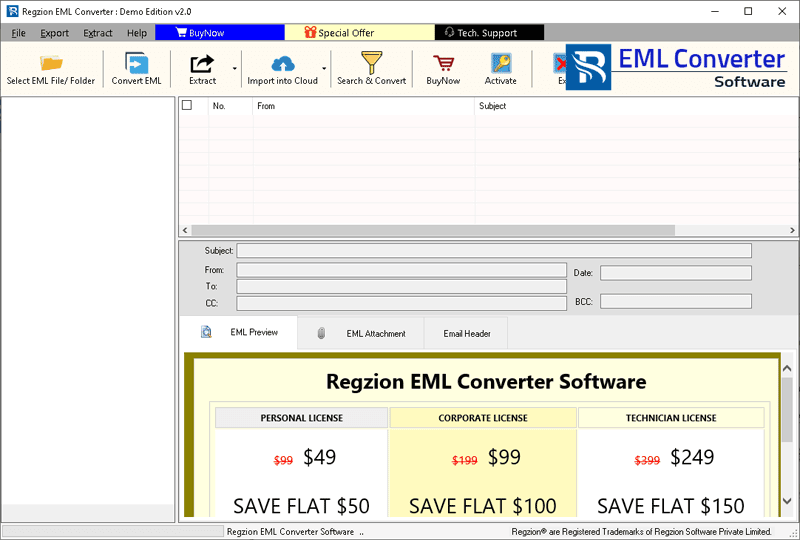
3: Add EML files to the software using one of the following options:
- Select EML Folder: Choose a folder containing multiple EML files, including subfolders.
- Select EML File: Browse and select one or more EML files from your computer.

4: Once the files are loaded, open any email from the preview panel to view its content before conversion.
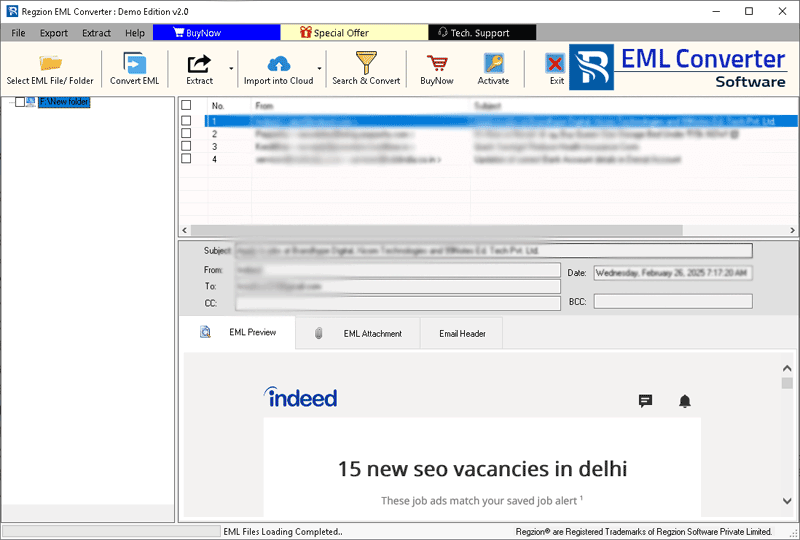
5: Select the required EML or EMLX files, or an entire folder, and click the Convert EML button to begin the export process.

6: Choose the desired export or conversion format from the available options:

- Export to HTML: Convert EML or EMLX emails into HTML files for easy access in any web browser.
- Export to EMLX: Convert EML files into EMLX format for use with Apple Mail on macOS.
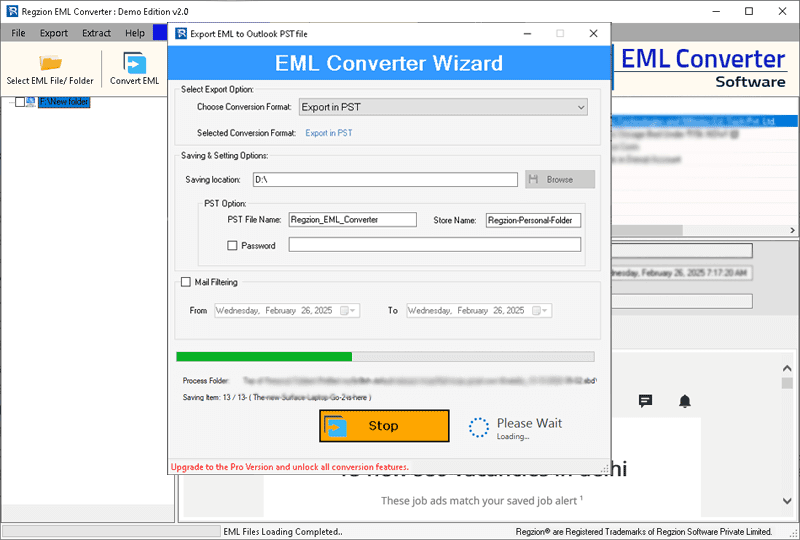
- Export to PST: Convert EML or EMLX files into a Unicode PST file compatible with all Microsoft Outlook versions. You can export individual emails or merge multiple EML files into a single PST. Options are available to customize the PST file name, store name, and password.
- Export to MSG: Export each EML or EMLX file as a separate MSG file for Outlook.
7: Configure additional conversion options such as mail filters, file naming patterns, and destination folder for saving the output.

8: After completing all settings, click Convert to start the file conversion process. The software will create the selected output files in the chosen format and location.
Frequently Asked Questions (FAQ) – Regzion EML Converter Software
Regzion EML Converter Software is a professional tool that helps you convert EML email files into multiple formats such as PST, MBOX, MSG, PDF, HTML, and more. It is designed for both home users and IT professionals to simplify email migration, backup, and archiving tasks.
The software supports EML files generated by popular email clients such as Windows Live Mail, Mozilla Thunderbird, Outlook Express, and many other EML-based applications. As long as your email client can save or export messages in EML format, Regzion EML Converter can process them.
In most cases, Regzion EML Converter works independently and does not require the original email client to be installed for reading EML files. However, to open certain output formats like PST, you will need a compatible application such as Microsoft Outlook.
The conversion speed depends on factors like the number of EML files, their size, selected output format, and your system performance. For most users, the tool converts large batches of emails significantly faster than manual methods.
Yes. You can use advanced filters such as date range, sender, recipient, subject, or keyword-based filters to convert only the relevant emails. This feature is especially useful for large mailboxes or when preparing data for legal, audit, or project-specific needs.
Yes. Regzion EML Converter typically includes a built-in preview panel where you can open and review EML emails inside the software. This helps you verify content and select only the messages you actually want to convert.


No Comments yet!