Are you looking for a method online that will merge different MBOX files into one MBOX file? If yes, then you don’t need to worry. In this blog, we have explained an automated method that will merge different MBOX files into a single MBOX file with all attachments.
Overview
MBOX files, also known as Mailbox files, are used to store email message information with header information like date, time, location, sender and recipient information, email addresses, and more in a text-based file. It is not wrong to say that MBOX files are a briefcase of multiple EML files.
Why do we need to merge MBOX files?
Organisational purposes – Merging different MBOX files into a Single MBOX file helps in organising emails in a better and effective way. If you have multiple MBOX files from different email accounts, then merging them arranges all emails in one file.
Migration to another email client- If you have different mailboxes from different email accounts, then merging different MBOX files into a Single file helps in migrating all data to the new email client.
Better search and recovery- If you have multiple MBOX files and you want to search specific email, then it will be difficult to search all the multiple MBOX files. If multiple MBOX files are in one place, then it will be quick and easy to search.
Read more-
Automated method to merge MBOX files
With eSoftTools MBOX splitter and merger software, you can easily merge two or more MBOX files into one MBOX file. This tool merges all the MBOX files into a single MBOX file with all attachments.
Key features
- Merge & split MBOX files with ease and a few clicks.
- Preview all MBOX files in the preview panel before merging and splitting.
- Add MBOX files with 3 different options- Single MBOX file, Single MBOX folder and Auto load Thunderbird profile.
- Split the MBOX file with 4 different options- Split by size, date, year, and email address.
- Merge MBOX file with 3 different options- Merge all items, Merge by Date, Merge by Year.
- Preserves email structure and formatting during splitting & merging of MBOX files.
- Provide the option of choosing the saving location where you want to save the split MBOX files and the merged MBOX file on your system.
- Comfortably runs on any Windows operating system like Windows 11, 10, 8.1, 8, 7 & below editions.
Steps to merge MBOX files
Download and install eSoftTools MBOX splitter & merger software on your Windows system.
Launch the software and click the Add File/Folder button on the menu bar to add MBOX files to the software.
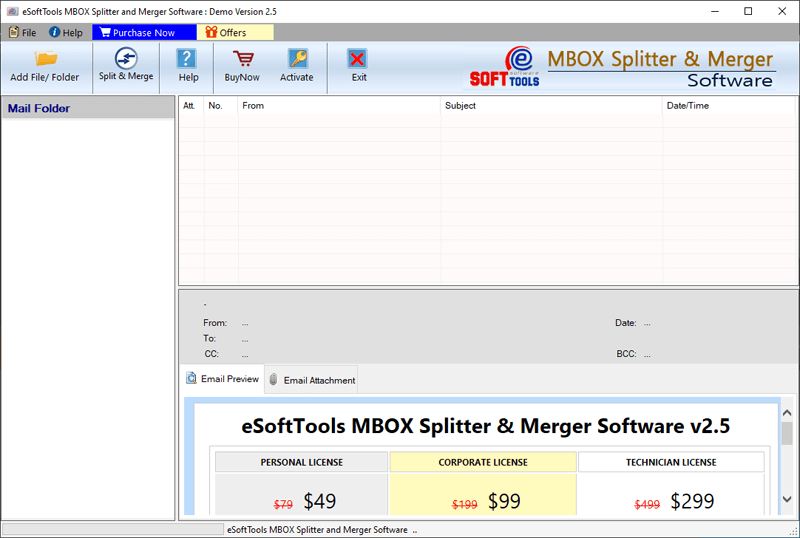
Select one option from the three options of file adding: Select MBOX file, Select MBOX folder and Auto-load Thunderbird profile.

Click the Next button, and MBOX files will be added to the software.
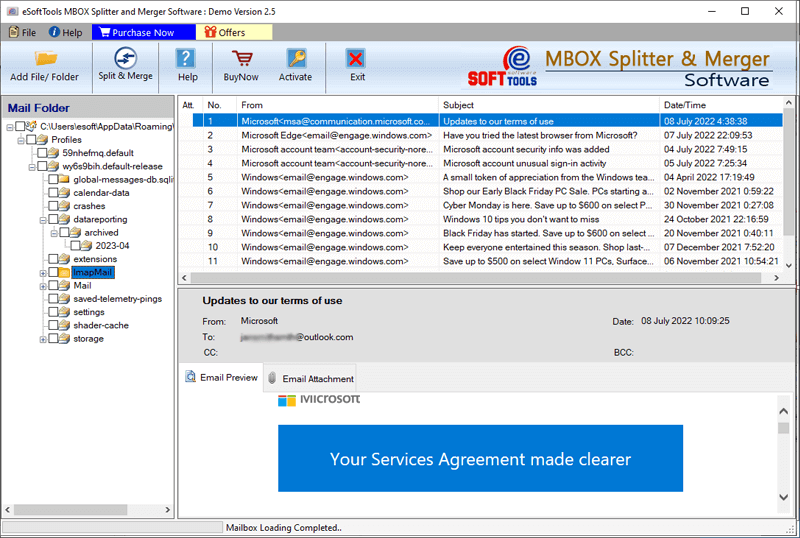
A preview of MBOX files & folders is shown in the preview panel of the software.

Select the needed MBOX files & folders, and click the Split & Merge button on the menu bar.

The MBOX merger software window will open, and select one option from the MBOX merge options: Merge all items, Merge by Date, or Merge by Year.
Browse the saving location where you want to save the MBOX merged file.
Press the Merge button, and the merging process will start to merge different MBOX files.
Conclusion
This blog explains the reasons and an automated method to merge MBOX files into a single file. With this tool, apart from merging MBOX files, you can use it to split a large MBOX file into smaller files. If you want to check the working of the software, then you can try the free demo version of the software, which allows 25 data items of the MBOX files to be merged.


No Comments yet!