Are you looking for a way to extract contacts from a PST file without Outlook? Then you landed on the correct page. This blog will tell you how to extract contacts from a PST file without Outlook with the help of reliable software.
Overview
PST(Personal Storage Table) is an Outlook file that contains data such as emails, contacts, calendars, tasks, notes, etc. In a few cases, you want to extract contacts from the PST file to share on mobile phones and Google Contacts. You can easily export contacts from the PST file with the help of eSoftTools Outlook PST recovery Software.
How to extract contacts from PST files without Outlook?
You can extract contacts from a PST file without Outlook with many free manual methods, but to extract contacts from the PST file without Outlook, you have to use eSoftTools Outlook PST Recovery software. In this software, you can upload single and multiple PST files at a time. It will preview the files and folders of the PST file in the preview panel, and you can select the contacts folder from the list to convert them into the vCard format. convert PST files to other file formats such as MBOX, MSG, EML, EMLX, HTML, vCard, Zimbra, ICS, etc. save large-sized PST files into small-sized PST files in this software with the help of the split feature.
You can save the output file with unique names in the naming convention feature. You can repair corrupt PST files and recover Outlook items such as calendars, contacts, and emails with this software. This software can work in all editions of the Windows Operating System, such as Windows 11, 10, 8.1, 8, 7, Vista, XP, and older versions. This software can recover files from Outlook up to the 2021 edition. In a few steps, you can extract contacts from the PST file.
Also Read:- How to Convert Outlook .PST to Mbox format?
Steps to extract contacts from a PST file without Outlook
- Download and launch the PST Recovery software on your system.
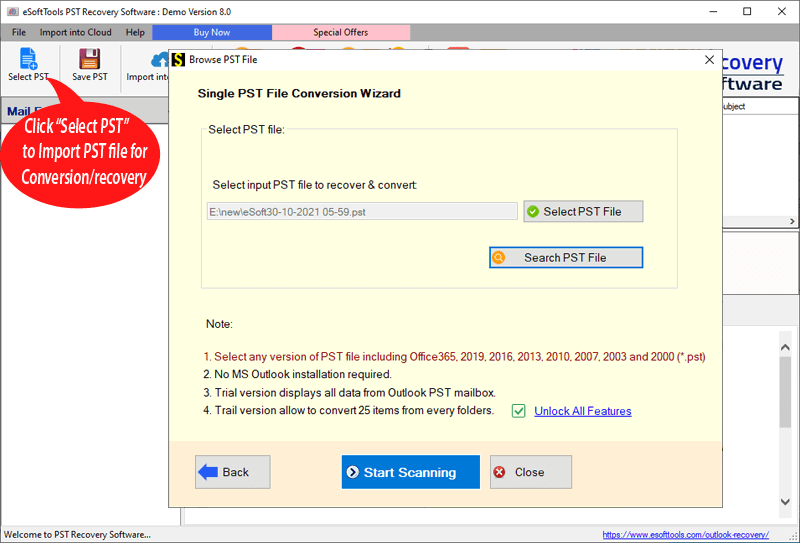
- Click on the PST button from the menu bar.

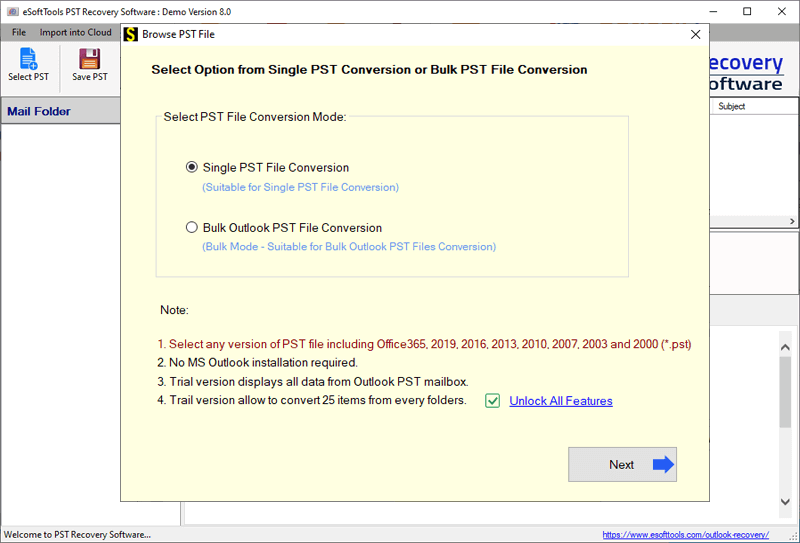
- Now choose the PST conversion mode.
- Single PST file conversion– You can load a single PST file in the software in this conversion mode.
- Bulk PST file conversion– You can load multiple PST files in the software in this conversion mode.
- Select the file and start the scanning process to load the PST file in the software.
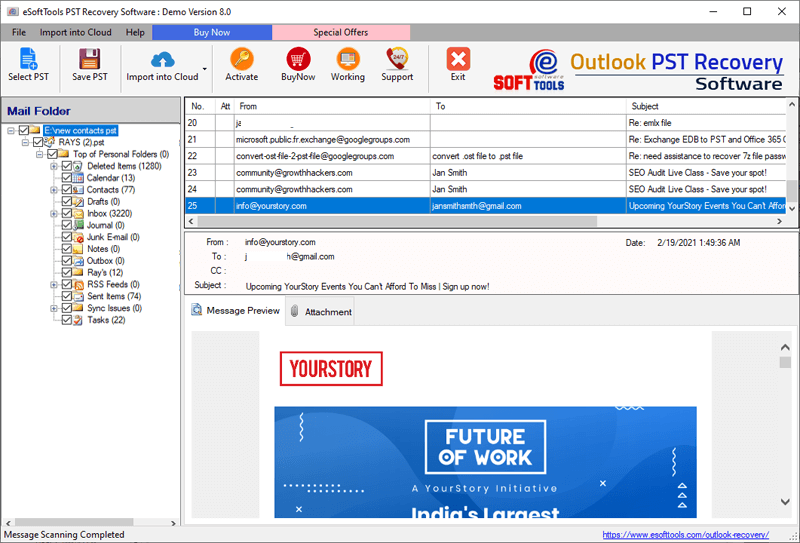
- Get the preview of files/folders of the PST file, select the files and folders that you want to convert, and press the save PST button.
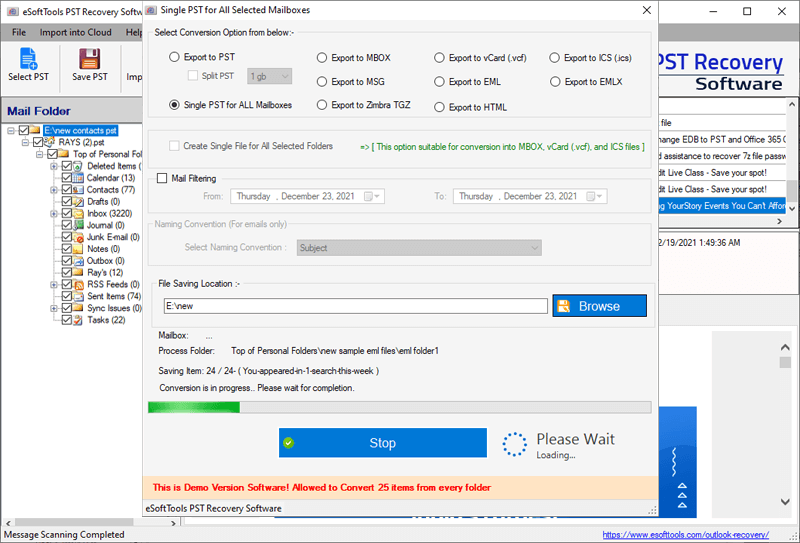
- In the next step software provides multiple file-saving formats such as PST, MBOX, MSG, EML, EMLX, vCard, ICS, and others. Choose the MBOX file option to convert the Outlook file into the Thunderbird format.

- Select the location to save the Output file and press the Convert button to start the recovery process.
Conclusion
The above method is easy and reliable for extracting contacts from a PST file without Outlook. Load the PST file into the software, and the rest process is automated in the software.


No Comments yet!