Do you want to convert Thunderbird emails to EML files but don’t know how to do it? If yes, then you are on the right page. In this blog, we have explained an automated method to convert Thunderbird to EML without data loss.
Overview
Mozilla Thunderbird is a free, open-source email client developed by Mozilla that can run on operating systems like Windows, macOS and Linux. It uses the MBOX file format to store users’ emails, contacts, calendars, tasks, notes, etc and store them in one file.
The EML file format is used to store individual emails with attachments and is supported by email clients like Outlook Express, Windows Live Mail, Apple Mail and others.
Users are looking for a method to convert Thunderbird emails to EML. In this blog, we have described an automated method for doing so.
Read More-
Reasons to convert Thunderbird to EML
- EML files can be used in switching from one email client to another, making it a convenient way to transfer data between different email clients.
- EML files can be used for data backup and archiving purposes in case of data loss.
- After converting Thunderbird to EML file format can easily use them in email clients like Outlook Express, Windows Live Mail, Apple Mail, etc.
- EML files are easily shareable files and can be shared with friends and colleagues.
- Users can use EML files for data security purposes as EML files are easily encrypted and stored securely.
An automated method to convert Thunderbird to EML
With eSoftTools Thunderbird to Outlook Converter Software, you can easily convert Thunderbird emails to EML file format. It is one of the best and most powerful solutions to convert Thunderbird to EML without data loss. This tool has a user-friendly interface and is capable of bulk conversion at a time.
Key features
- Different options are available for adding MBOX files- Single MBOX file, Bulk MBOX folder and Auto-detect Thunderbird profile.
- Export Thunderbird profile in different file formats like HTML, MHTML, Outlook PST, EMLX, MSG, etc.
- Migrate Thunderbird profile to cloud-based applications like Office 365, Gmail, Yahoo Mail, Outlook 365, and IMAP.
- Have a feature of email filtering by which you can filter emails according to Date by selecting Date Range(From and To).
- Maintains and preserves the data integrity and data structure of the mailbox during conversion and migration.
- Without any restriction, you can easily convert unlimited MBOX files and Thunderbird profiles to other file formats.
Steps to migrate from Thunderbird to Outlook
Download and launch eSoftTools Thunderbird to Outlook Converter software on your PC.
Press the Add file/folder button on the menu bar.

Select any one option to select the MBOX file from the menu bar and choose from the options- Select MBOX file, Select MBOX folder, and auto-load Thunderbird profile.

Select the auto-load Thunderbird profile option and load Thunderbird mailbox folders automatically into the software.

Preview and select the Thunderbird mailbox folders that you want to convert to the EML file format.

Select the EML option from the list of conversion options.

Apply a Mail filter and provide a saving location to save EML files on your PC.
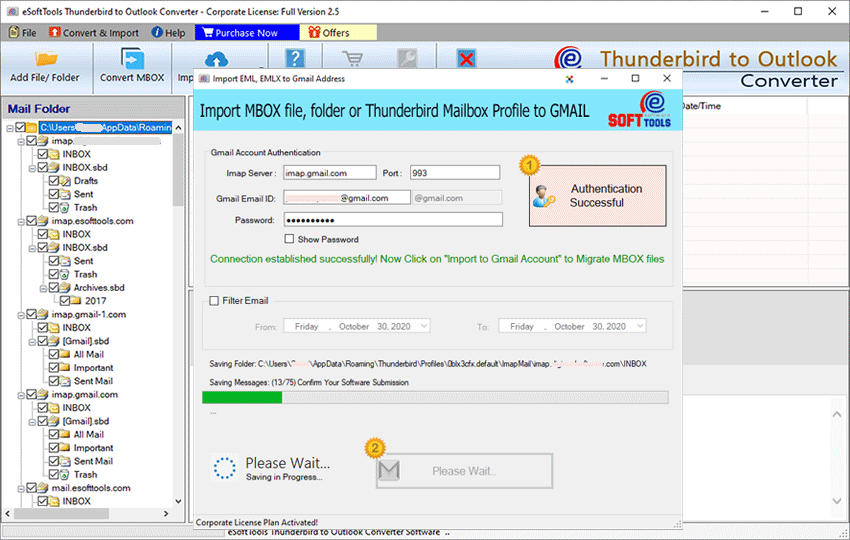
Press the Convert button and start converting your Thunderbird profile to the EML file format.

Conclusion
In this article, we have explained an automated method to convert Thunderbird emails to EML. However, there are manual methods also available, but they have several drawbacks and limitations. The automated method explained in this blog does the conversion of Thunderbird emails to EML quickly and securely. We have provided a free demo version of the software to check how the software works, and after that, if you like it, you can purchase the software.


No Comments yet!