If you want to convert NSF to EML with all attachments, then you have come to the right place, because through this blog post, we will tell you how to convert NSF to EML. Read this article and convert files easily.
User query:- I want to extract some important emails from my Lotus Notes into EML files so that can I use it in other email client. Can you please tell me a way to convert NSF emails to an EML file so that I can use emails in the email client?
Overview
Lotus Notes contains an NSF file, which is a database file that is used to store various types of data such as emails, contacts, calendar entries, and documents.
The EML file is used to store email messages. It saves an email message as a file so you can easily share, archive, or transfer it between different email clients.
Also Read:- How to convert Lotus Notes Email to EML files?
Why do users need to convert NSF to EML with All Attachments?
Lotus Notes, also known as IBM Notes, is a business email application. Users use this email program to send and receive emails. It provides the facility to store all the user data in an NSF database file. But the NSF file is only available in Lotus Notes. To view the data of the NSF file outside Lotus Notes, users have to export it to EML or another format.
Quick Solution to Convert NSF to EML with All Attachments
To convert NSF to EML with all attachments, users have to use a third-party tool, and that is eSoftTools NSF to EML Converter software. By using this, you can easily export NSF to EML format in a few easy steps. You can convert multiple NSF files as well as selected folders from a single NSF file at the same time, as per your needs.
How to Convert NSF to EML with All Attachments?
- Download and install eSoftTools NSF to EML Converter software on your computer.
- Select the NSF button from the menubar.

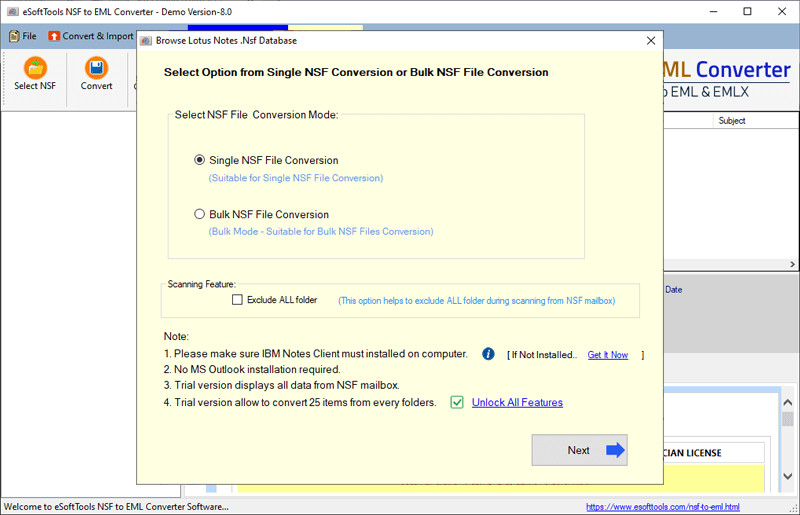
- Select Single NSF File Conversion or Bulk NSF File Conversion from the next screen.
- Select the required NSF files in the software you want to convert. And then click the Start Scanning button to begin the mailbox loading process.
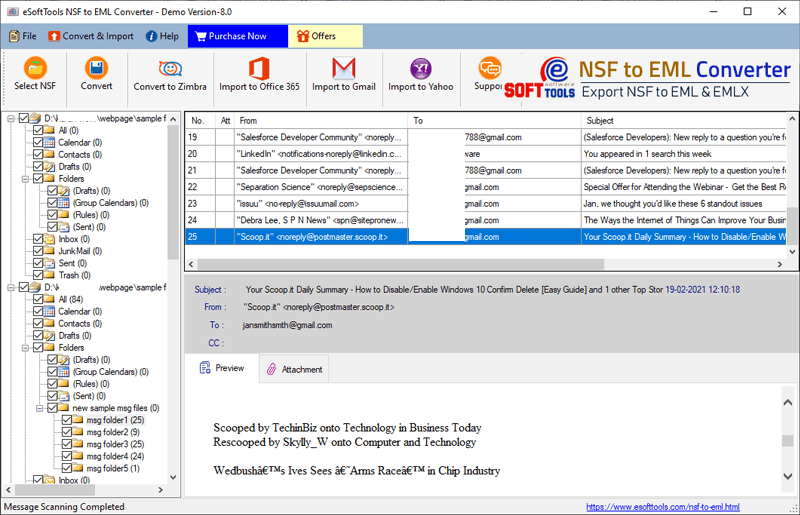
- The software will create a brief preview inside the software screen with all the NSF file internal folders and items.
- Select all folders or only the required folders as per your requirement. And click on the Convert button from the menu given above.
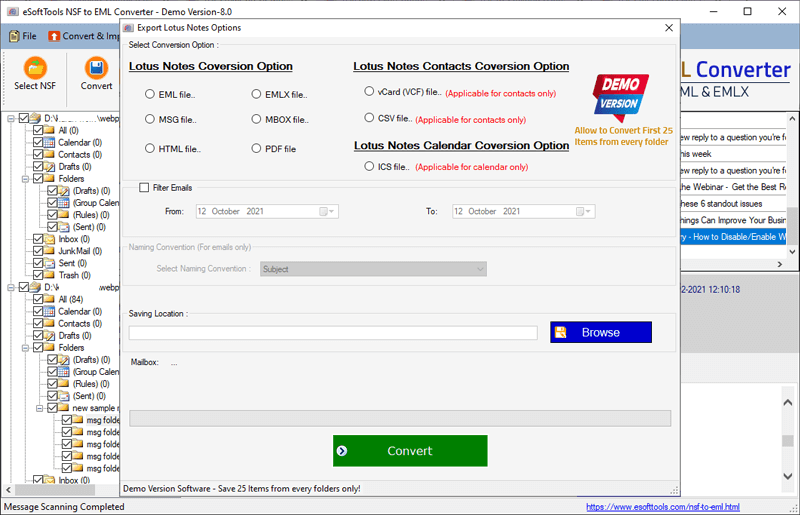
- Select the EML file option as the conversion format and provide the destination path by clicking on the Browse button.
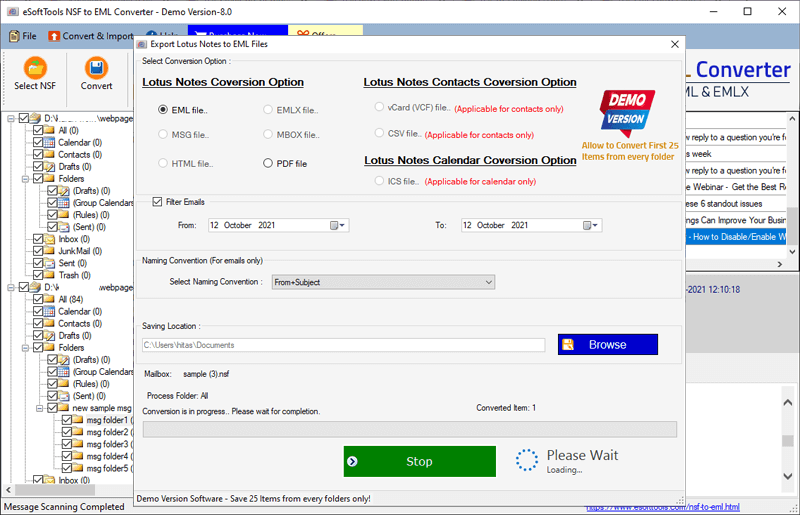
- Now, to start the NSF to EML conversion, click on the Convert button.
FAQ
Will this software’s resultant EML file work in Thunderbird after NSF to EML conversion?
This software will convert NSF to an EML file, which will work on all supported email clients.
Can I convert NSF files to EML format in bulk using this software?
Yes, this NSF to EML converter software supports bulk conversion; you can add multiple NSF files/folders for conversion.
Does this software also provide any other conversion formats apart from EML?
Yes, this software saves Lotus Notes emails as EML files with 10+ conversion options, also it can import Lotus Notes data to 3 different cloud applications: Office 365, Gmail, and Yahoo Mail.
What is the maximum size limit of an NSF file? Is this determined by the software?
There is no size limitation in the NSF to EML Converter software. By using the software, users can efficiently convert any size NSF file to EML with all emails.
Does converting NSF to EML require the Lotus Notes application to be installed on the machine?
Yes, the Lotus Notes application must be installed on your machine to run the software for NSF to EML conversion.
Conclusion
In this article, we have suggested the easiest way to convert NSF to EML. This will be the best option for users to export NSF files to EML format quickly, easily, and effortlessly. You can also try the free demo of this software.


No Comments yet!