Are you looking to convert NSF files to Zimbra format? If yes, then you don’t need to worry. In this blog, we have explained an automated method to convert NSF to Zimbra(.tgz) format
Overview
NSF is a file format also known as a Notes storage facility supported by Lotus Notes/IBM/HCL Notes used to store emails, contacts, calendars, tasks, notes, and appointments, etc.
Zimbra is a free open-source email client that is used to store emails, contacts, calendars, tasks, notes and appointments. It manages multiple email clients using a single interface.
Reasons to convert NSF to Zimbra(.tgz) format
- If you are thinking of switching from Lotus Notes/HCL Notes to Zimbra email client, then you need to convert NSF files to Zimbra (.tgz) format.
- Zimbra is a free open-source email client, whereas Lotus Notes/HCL Notes is a costly email client. Conversion from Lotus Notes/HCL Notes(NSF) to Zimbra(tgz) format will save you money.
- Zimbra has a user-friendly interface that requires no technical expertise, whereas in Lotus Notes/HCL Notes, you require technical expertise to operate it.
- Zimba is a cross-platform email client that can operate in Windows, Linux and Mac. It supports iOS and Android operating systems.
Also Read: How to Convert NSF to PST Outlook Files?
Smart Solution to convert NSF to Zimbra
The best and reliable solution to convert NSF to Zimbra TGZ file is eSoftTools NSF to PST Converter software. With this software, you can convert NSF files to other file formats like EML, EMLX, PST, MSG, MBOX, HTML, vCard(for contacts), CSV (for contacts) and ICS (for calendars). Moreover, you can preview files and folders of the NSF files in the preview panel and select the files and folders to be exported.
Key features
- Perform NSF file conversion in bulk at a single time.
- Export all the data items in Lotus Notes( HCL Notes), such as emails, contacts, calendars, tasks, and notes.
- Has a user-friendly interface that can be used by non-technical people.
- Moreover, it allows users to preview files and folders in the preview panel.
- Additionally, it maintains the data structure and formatting during conversion and migration.
- It easily works with Lotus Notes versions 10.0.1, 9.0.1, 9.0, 8.5, 8.0.2, 7.0, 6.5, and 6.0.
- Migrate NSF files to cloud-based applications like Office 365, Yahoo Mail, Gmail & IMAP accounts.
- Safely convert Lotus Notes address book(contacts) to file formats like vCard and CSV.
Step-by-step approach to convert NSF to Zimbra
- Download and install eSoftTools NSF to PST converter software.
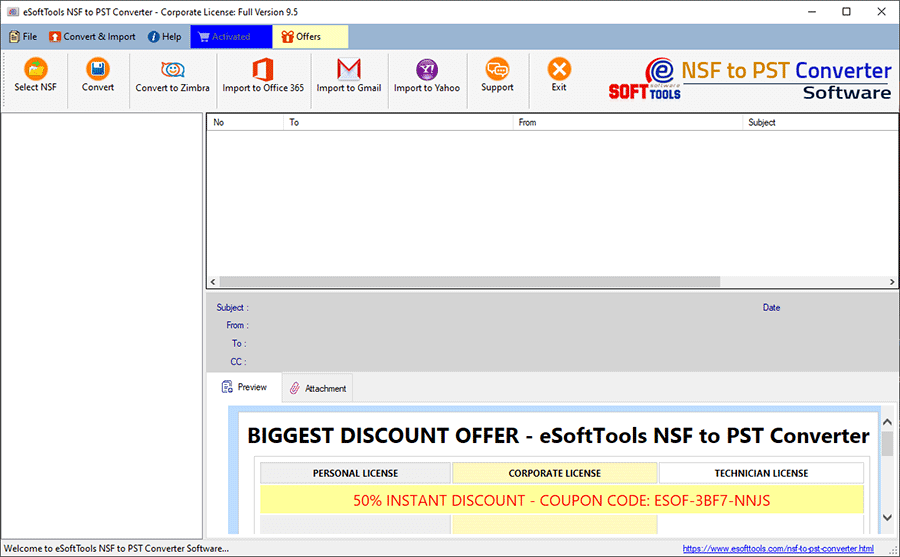
- Click the Select NSF button and choose the file conversion mode- Single NSF file conversion or Bulk NSF file conversion.

- Add NSF files and load all the files and folders in the software.
- Preview the NSF files and folders in the preview panel and select the NSF files and folders to be converted to Zimbra.

- Click the Convert to Zimbra button on the above menu bar.
- Apply the mail filtering, Naming convention and saving location options.
- At last, click the Convert button and start the conversion process from NSF to Zimbra.
Note: Lotus Notes email client installation with a configured email account is required for conversion.
Conclusion
It is easy to convert NSF to Zimbra TGZ file with professional software that converts your NSF files to Zimbra format. We recommend using the software because you can do it with a few clicks. You can try the demo version, and if you get the desired result, you can purchase the license. In the demo version, you can convert 25 data items from each NSF folder for conversion.


No Comments yet!