Are you looking for ways to import EML files to your Gmail account but finding it difficult? Are you also worried about data loss about data loss in migration? If yes, then you don’t need to worry. In this blog we have explained an automated method to import EML to Gmail.
EML also known as Electronic Mail Format used to store single email message with attachments including header and body and wide range of email clients support this file format such as
- Windows Live Mail
- Microsoft Outlook
- Mozilla Thunderbird
- Apple Mail
- Outlook Express
There are situations when user want to import EML files generated by these types of email client into Gmail account but don’t know the method.
We have explained a direct method that will import the EML files directly into Gmail account.
Read Also –
How to Convert/Import EML to Lotus Notes NSF?
Why do users want to import EML files to Gmail?
There are many scenarios when a user wants to import EML files to a Gmail account. Some are explained below.
User Query: I have been using Windows Live Mail for managing my emails but now it is discontinued by Microsoft. I have important emails in Windows Live Mail that I want to import in my Gmail account. I also want to discontinue the use of Windows Live Mail. Can anyone suggest a direct method to import EML files to Gmail?
Anytime & Anywhere access: When the EML files stored on the email client they can be accessed only on the device where they have stored. But with a Gmail account EML files can be accessed anytime and anywhere and on any device only internet connection is required.
Cloud Storage: EML files stored on the local device are more prone to corruption due to system crashes or accidental deletion. On the Gmail account all the files are stored on the cloud having no chance of corruption and can be used for backup purposes.
Security: Gmail offers two-factor authentication and spam filtering making it a good option for security. Users’ emails are more secure in a Gmail account than on the desktop-based email client.
How to import EML files to Gmail?
A straightforward solution to Import EML files to Gmail is to use eSoftTools EML to Gmail converter Tool. The software can import EML files to Gmail in bulk without requiring any other application installed on your computer.
It preserves the EML file structure and data formatting while migrating EML files to Gmail. The easy-to-use graphical interface can be used by anyone, even non-technical people without any hassle. The software maintains the email meta properties like To, cc, bcc, subject, Date and From during migration.
Steps to import EML files to Gmail
Download and install eSoftTools EML to Gmail converter software on your system.
Click on the Select EML folder button to load EML files into the software.
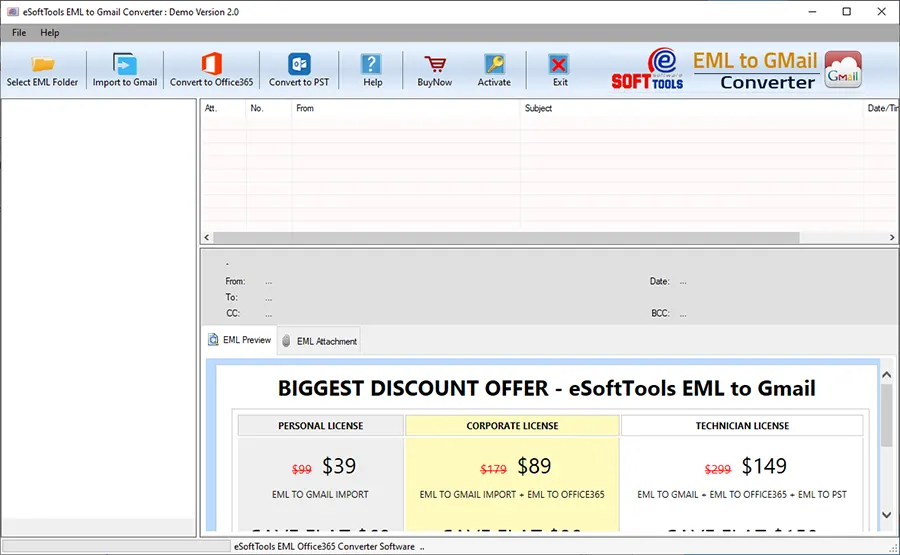
After loading EML files, software will preview EML files contained in the EML folder.

Select the EML folders that you want to migrate and click the Import to Gmail button on the above.

Enter the Gmail email address and Google Application password into the required fields.
Click the Authenticate Login button and once authentication is successful software will automatically import EML files to Gmail accounts.
Benefits and features of EML to Gmail converter software
Add multiple EML files: Software can load multiple EML files at a time and can import them to Gmail in bulk without any restriction.
Preview EML files: This tool can preview all the EML files & folders in the preview panel inside the software. EML folders are displayed in the tree structure on the left side of the preview panel.
Conversion of selective folders: This tool has the feature of selecting the EML folders and files that a user wants to migrate to a Gmail account.
Import EML to Yahoo Mail: It allows users to import EML files & folders to the Yahoo Mail application with a few clicks. Only users need to know Yahoo Mail email address and application password.
Convert to Office 365: The user can import EML files & folders to Office 365 with a few clicks by this software. Easily exports all the EML files to Office 365 account without any difficulty.
Conclusion
Importing EML files to Gmail is a better option because of accessing emails at any time and from anywhere. EML files stored locally have more chances of corruption and accidental deletion. The eSoftTools EML to Gmail converter Software migrates EML files to Gmail accounts fastly, accurately, and without any data loss. The company provides a free demo version in which users can check how the software works.
FAQs
Q. What does an EML file contain?
Ans. EML file contains a single email message with attachments with all formatting.
Q. Is this software compatible with Windows 7?
Ans. Yes, this tool is compatible on all editions of Windows operating systems like Windows 11, 10, 8.1, 8, 7 & below versions.
Q. Can I view EML files before conversion?
Ans. Yes, in the preview panel users can preview the EML files and folders in the tree structure and select the folders that users want to migrate to their Gmail account.


No Comments yet!