This blog will explain MBOX files, Roundcube webmail, the reasons for importing MBOX to Roundcube, and an automated method for importing MBOX to Roundcube safely without Data Loss. If you are struggling to import to Roundcube webmail, then read this blog till the end, and you will get all the information.
MBOX, also known as Mailbox, is a file format that stores all emails in one file in a concatenated way. Many email clients like Mozilla Thunderbird, Apple Mail, etc, support the MBOX file format. The MBOX is a text-based file in which each message starts with From and ends with a black line.
Roundcube webmail is a free, open-source web-based email client that opens with the help of a web browser and has an interface for sending & receiving emails. It uses IMAP and SMTP protocols for managing emails and stores emails on the cloud.
Read also-
Why import MBOX files to Roundcube?
There are many benefits of using the Roundcube webmail service, and some are explained below.
Cloud benefits: The Rouncube webmail is a cloud-based webmail service, so users can access it from anywhere and anytime.
Backup: The user can use the Roundcube webmail service as a backup option for MBOX emails. It stores emails on the server so users can access them 24/7 from any device.
Compatibility: The user can access the Roundcube webmail service from any operating system, like Windows, Linux, and Mac OS, with the help of a web browser like Google Chrome, Microsoft Edge, etc.
One Unified system: Many users use one unified system to access emails because by importing MBOX emails to Roundcube, users can store MBOX emails and other emails in one place.
Smart solution to import MBOX files to Roundcube
The smart and effective solution to import MBOX files to Roundcube is to use eSoftTools MBOX converter software. This software can migrate MBOX files & folders to an IMAP email account, like Roundcube, safely and without any data loss. This tool maintains the folder hierarchy and email with attachments during the migration process.
It has advanced features like email filtering and can migrate in bulk MBOX files to cloud applications like Roundcube webmail.
How to import MBOX files to Roundcube automatically?
Download and install eSoftTools MBOX converter software on your Windows PC.
Launch the software and click the Add File/Folder button on the above menu bar.

Choose any one of the options to add an MBOX file to the software.
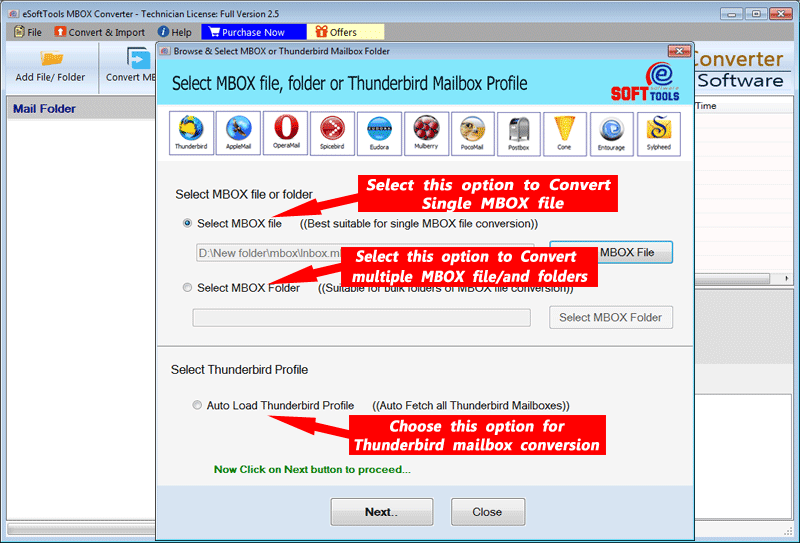
Get a preview of MBOX files & folders in the preview panel in the tree structure.

Select the MBOX files & folders that are needed for migration.

Click the Import into cloud button and choose the Import to IMAP option from the list of options.
- Enter the Roundcube webmail email address, password, and IMAP details like
- Host: mail.yourdomain.com (replace yourdomain.com with actual domain)
- Port: 993
Input the folder name where you want to place the selected MBOX files & folders.
Use the email filter feature (optional) to filter emails according to Date.
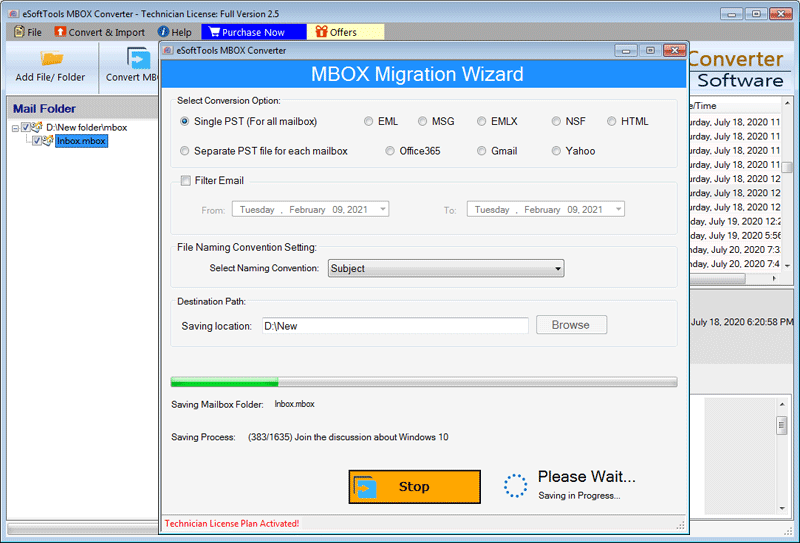
At last, click the Convert button, and your migration process will start.
FAQs
Q. Can large or multiple MBOX files be migrated with eSoftTools MBOX converter software?
Ans. Yes, the eSoftTools MBOX converter software can migrate large or multiple MBOX files to any cloud application like Gmail, Yahoo Mail, Office 365, Outlook.com, and any IMAP email account.
Q. Will importing MBOX files to Roundcube overwrite the existing emails?
Ans. No, the automated tools like eSoftTools MBOX converter software create a new folder in the Roundcube webmail and store all MBOX files & folders in it.
Q. Does this software work on any Windows editions?
Ans. Yes, this tool works on any edition of the Windows Operating System, like Windows 11, 10, 8.1, 8, 7 & below editions.
Q. Is there any chance of data loss while using automated software?
Ans: No, the automated software migrates without any data loss and with 100% accuracy.
Q. Is technical knowledge required for using the MBOX converter software?
Ans. No, the graphical interface of the software is user-friendly so that non-tech-savvy people can use it easily.
Conclusion
Migrating emails from MBOX to Roundcube webmail allows users to open, read, and manage emails with the web-based interface, and allows users to use all the benefits of the Roundcube webmail application. There are manual methods available, but they have the limitation of the MBOX file size and are not suitable for non-technical people. However, the automated tools like eSoftTools MBOX converter software can load any MBOX files of any size and can be used by anyone.
The company provides a free demo version of the software to check how the software works, and users can convert 25 emails from each MBOX folder. So, don’t waste time, try it now


No Comments yet!